Histograms and Density Plots in ggplot2
Completion requirements
Now you will learn the ggplot2 syntax for building and customizing histograms.
Change histogram plot colors by groups:
Change fill colors
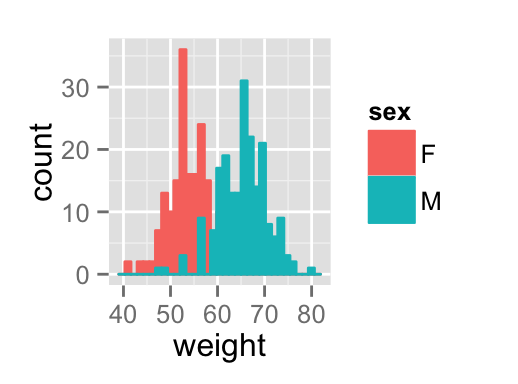
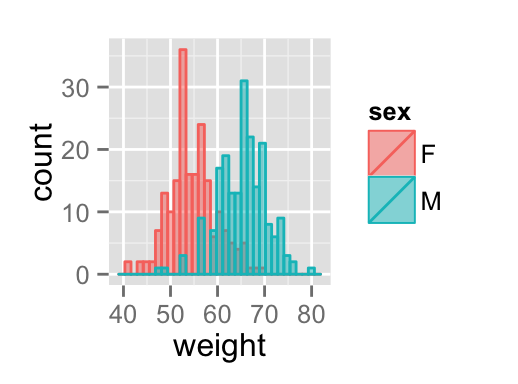
Histogram plot fill colors can be automatically controlled by the levels of sex :
# Change histogram plot fill colors by groups
ggplot(df, aes(x=weight, fill=sex, color=sex)) +
  geom_histogram(position="identity")
# Use semi-transparent fill
p<-ggplot(df, aes(x=weight, fill=sex, color=sex)) +
  geom_histogram(position="identity", alpha=0.5)
p
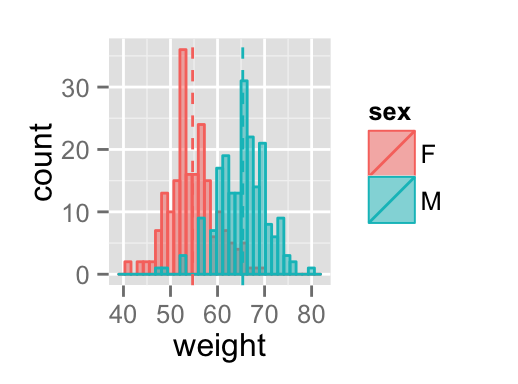
# Add mean lines
p+geom_vline(data=mu, aes(xintercept=grp.mean, color=sex),
             linetype="dashed")
It is also possible to change manually histogram plot fill colors using the functions :
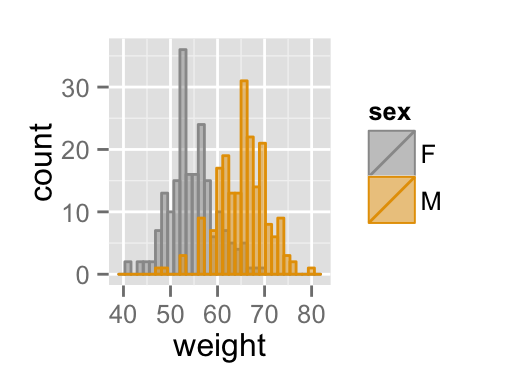
- scale_fill_manual() : to use custom colors
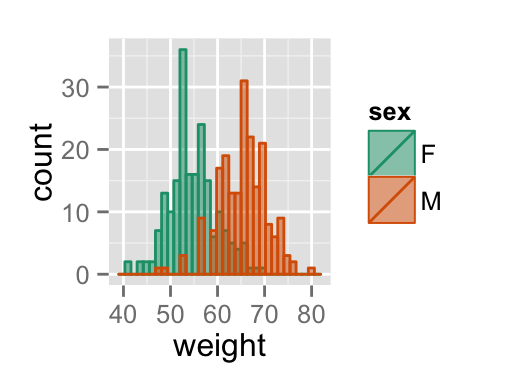
- scale_fill_brewer() : to use color palettes from RColorBrewer package
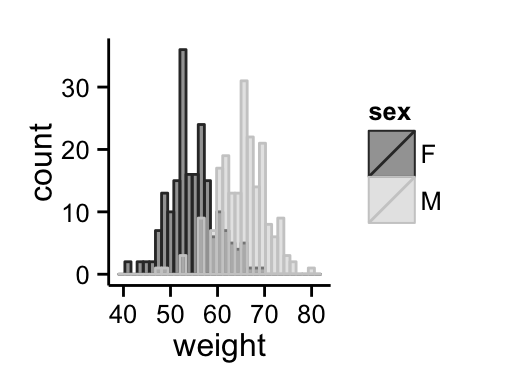
- scale_fill_grey() : to use grey color palettes
# Use custom color palettes
p+scale_color_manual(values=c("#999999", "#E69F00", "#56B4E9"))+
  scale_fill_manual(values=c("#999999", "#E69F00", "#56B4E9"))
# use brewer color palettes
p+scale_color_brewer(palette="Dark2")+
  scale_fill_brewer(palette="Dark2")
# Use grey scale
p + scale_color_grey()+scale_fill_grey() +
  theme_classic()