Time Series Plots Using ggplot2
Completion requirements
Of course, the ggplot2 can also visualize time series. This section introduces the relevant ggplot2 syntax.
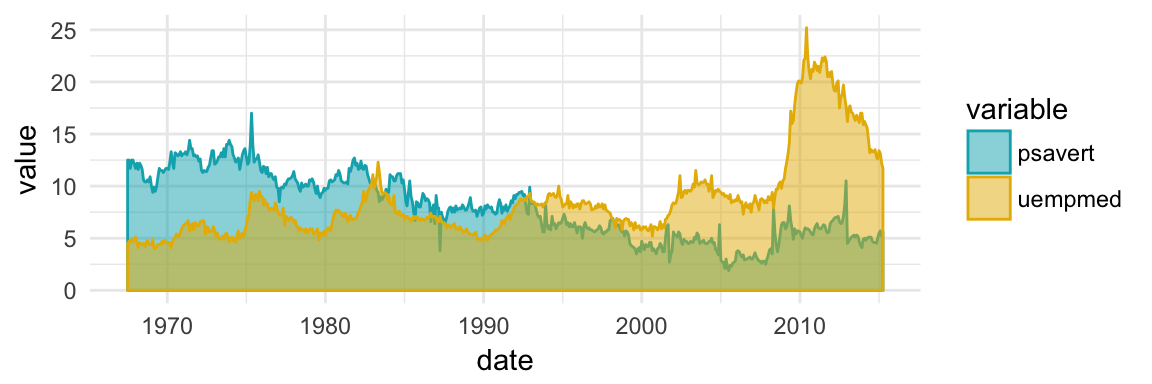
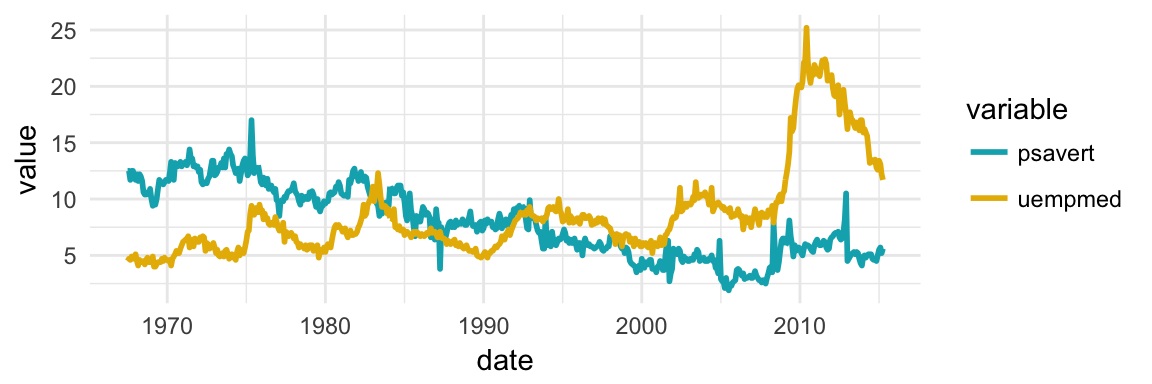
Plot multiple time series data
Here, we'll plot the variables psavert and uempmed by dates. You should first reshape the data using the tidyr package: - Collapse psavert and uempmed values in the same column (new column). R function: gather()[tidyr] - Create a grouping variable that with levels = psavert and uempmed
library(tidyr)
library(dplyr)
df <- economics %>%
  select(date, psavert, uempmed) %>%
  gather(key = "variable", value = "value", -date)
head(df, 3)
## # A tibble: 3 x 3 ## date variable value #### 1 1967-07-01 psavert 12.5 ## 2 1967-08-01 psavert 12.5 ## 3 1967-09-01 psavert 11.7
# Multiple line plot
ggplot(df, aes(x = date, y = value)) +
  geom_line(aes(color = variable), size = 1) +
  scale_color_manual(values = c("#00AFBB", "#E7B800")) +
  theme_minimal()
# Area plot
ggplot(df, aes(x = date, y = value)) +
  geom_area(aes(color = variable, fill = variable),
            alpha = 0.5, position = position_dodge(0.8)) +
  scale_color_manual(values = c("#00AFBB", "#E7B800")) +
  scale_fill_manual(values = c("#00AFBB", "#E7B800"))