
Introduction to HTML
- 1b Identify the basic commands and building blocks of HTML (CLO 2)
- 1c Implement basic HTML elements and commands to see how they function (CLO 4)
HTML: Creating the Content
Now that we have discussed what is HTML and what it does, let's look at an example to see how this markup language actually works. The following content will all be shown on the same line when displayed on a web page, as it is not structured in any way:
Instructions for life:
Eat
Sleep
Repeat
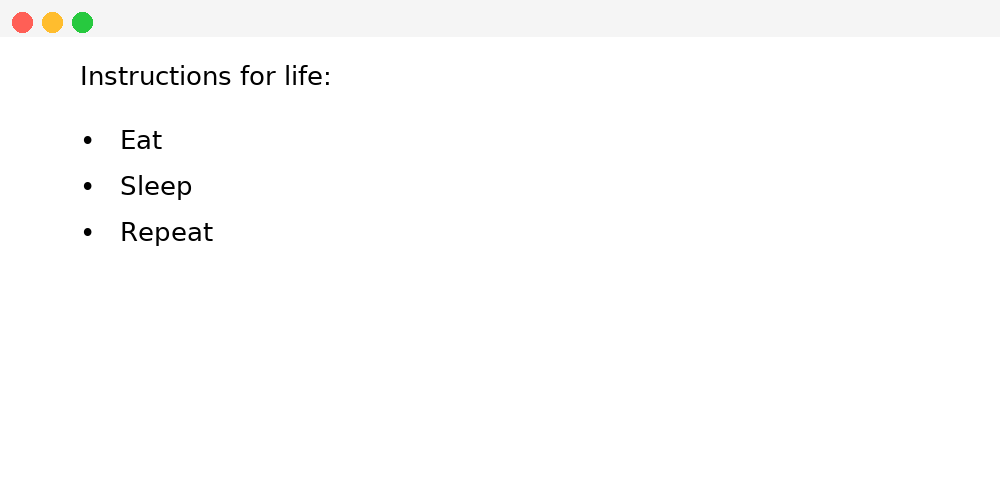
If we wrap this content with the following HTML elements, we can turn that single line into a paragraph (<p>) and three bullet points (li):
<p>Instructions for life:</p>
<ul>
<li>Eat</li>
<li>Sleep</li>
<li>Repeat</li>
</ul>
This HTML will render as follows in a web browser:
As well as structuring text, HTML has many other uses like making text or images link to other web pages, embedding images or videos, creating data tables, and so on.
When learning HTML or any language, repetitive use and practice is essential. If you'd like to try this and all examples in this course on your own, you can use the Mozilla Playground. Mozilla Playground is a free IDE (Integrated Development Environment), a web-based environment for creating and testing code. You will want to bookmark this link so that you can access it easily throughout the course, or whenever you want to play around with some code.
While Mozilla Playground is great for creating HTML and seeing the results in realtime, you cannot save your work. For that reason, in the next section you will learn how to create your own free workspace where you will be able to use an IDE and save all of your work. So while Playground is great for quick work and experimenting, you will want to read the next section and create your first GitHub Repository to work on this course's exercises and the course project.
Source: Khalil Abdullah and Saylor University
 This work is licensed under a Creative Commons Attribution 4.0 License.
Source: NUS Hackers
This work is licensed under a Creative Commons Attribution 4.0 License.